Your comments

Hello Rexie,
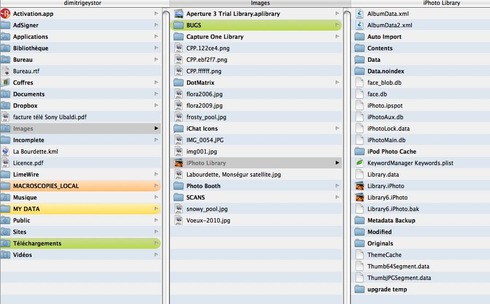
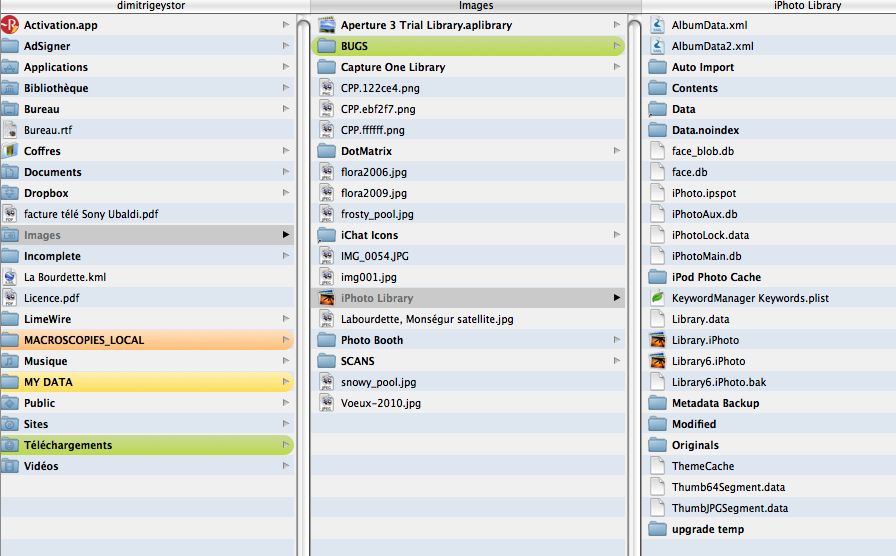
You can't browse the contents of the iPhoto library with the Apple Finder. The library is locked on purpose to prevent modifications by inexperienced users.
If you feel adventurous, use an "improved" finder like Path Finder (www.cocoatech.com), it's a splendid application which will give you access to the iPhoto library innards. Be careful not to modify any of the contents !!! I think you'll find what you want in the "Originals" sub-folder.
Have fun,
Dimitri
You can't browse the contents of the iPhoto library with the Apple Finder. The library is locked on purpose to prevent modifications by inexperienced users.
If you feel adventurous, use an "improved" finder like Path Finder (www.cocoatech.com), it's a splendid application which will give you access to the iPhoto library innards. Be careful not to modify any of the contents !!! I think you'll find what you want in the "Originals" sub-folder.
Have fun,
Dimitri
Thanks Enrique,
This does it, just as I hoped for.
Wonderful support
Dimitri
This does it, just as I hoped for.
Wonderful support
Dimitri
Customer support service by UserEcho


Don't be frustrated.
There is nothing to install on your Mac. But you must set up the proper communication between your Mac and the mobile device (iPhone).
The explanations are here :
http://www.phototransferapp.com/Iphon...
Here's the setup :
1.The Mac and the iPhone must share the same WiFi network connection
2. Photo Transfer must be running on the iPhone
3. In your Mac, open Safari, and type the url address as indicated in the instructions. Type "Enter". That's all.
Dimitri